
If you are using a Nepal Telecom (NTC) SIM card and have forgotten your number or want to check NTC SIM owner’s name or balance quickly within a minute, then this is the complete guide for you.
In this article, you will learn :
- How to check NTC number?
- How can I find out the name of the SIM card owner?
- How to check your balance and data?
- How to do it from a mobile, app, or offline?
- What to do if your SIM is not registered?
Table of Contents
How to Check NTC Number?
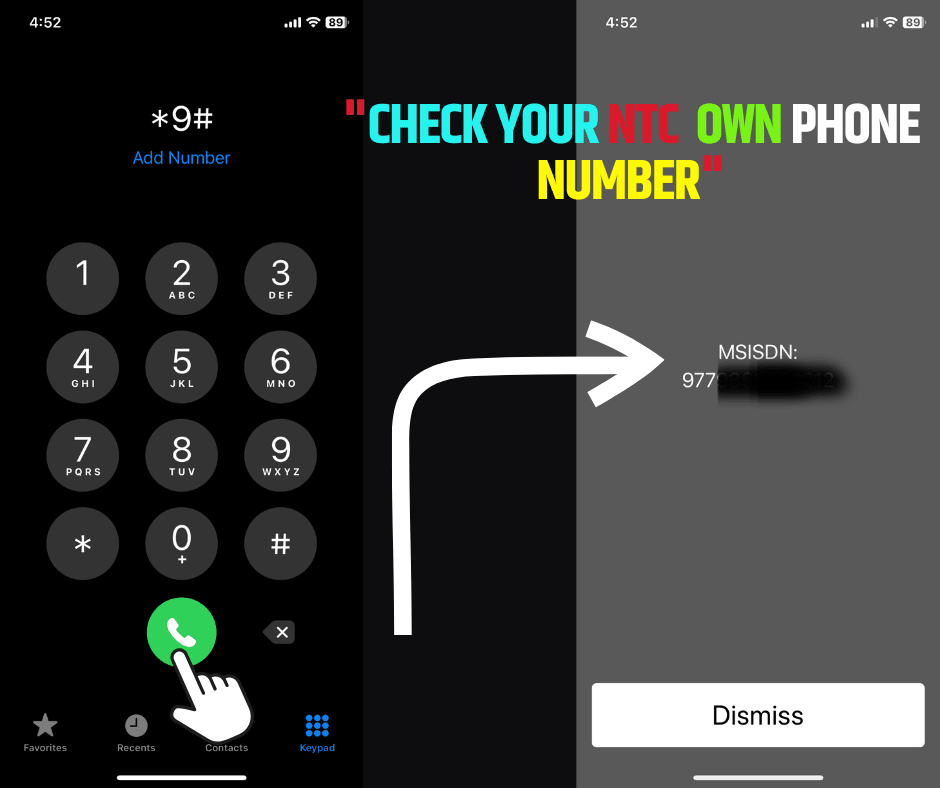
When using the NTC number, it is important to know how to check it. Using USSD Code is the fastest way to check your NTC number or any mobile number.
Dial *9# and press call to check the NTC number. This works on both prepaid and postpaid SIM cards. You don’t need the internet to check your number. Checking the NTC number is free of cost. It works on all types of phones.
I will show you screenshots, it will be easier for you.
How to Check NTC Number Without Code on a Mobile?
If your phone uses two SIM cards, it can be confusing to know which number is active. You can check your number from phone settings or SIM toolkit.
Method 1: Using Phone Settings
Steps:
- Open your Settings app
- Scroll down and tap About Phone
- Tap SIM Status or SIM card info
- You will see both SIM 1 and SIM 2 numbers
- Look for a line that says “My phone number” or “Mobile number”
Note: Some phones may show “Unknown” if the number is not saved in the SIM.
Method 2: Using SIM Toolkit (if available)
Steps:
- Open the SIM Toolkit app (usually pre-installed)
- The name may be “NTC”, “SIM Toolkit”, or “STK”
- Tap the SIM card slot (SIM 1 or SIM 2)
- Look for an option like “My Number” or “SIM Info.”
This method works best on older phones or phones with basic SIM menu access.
How to Check NTC Number and Balance Using NTC App (Online)?
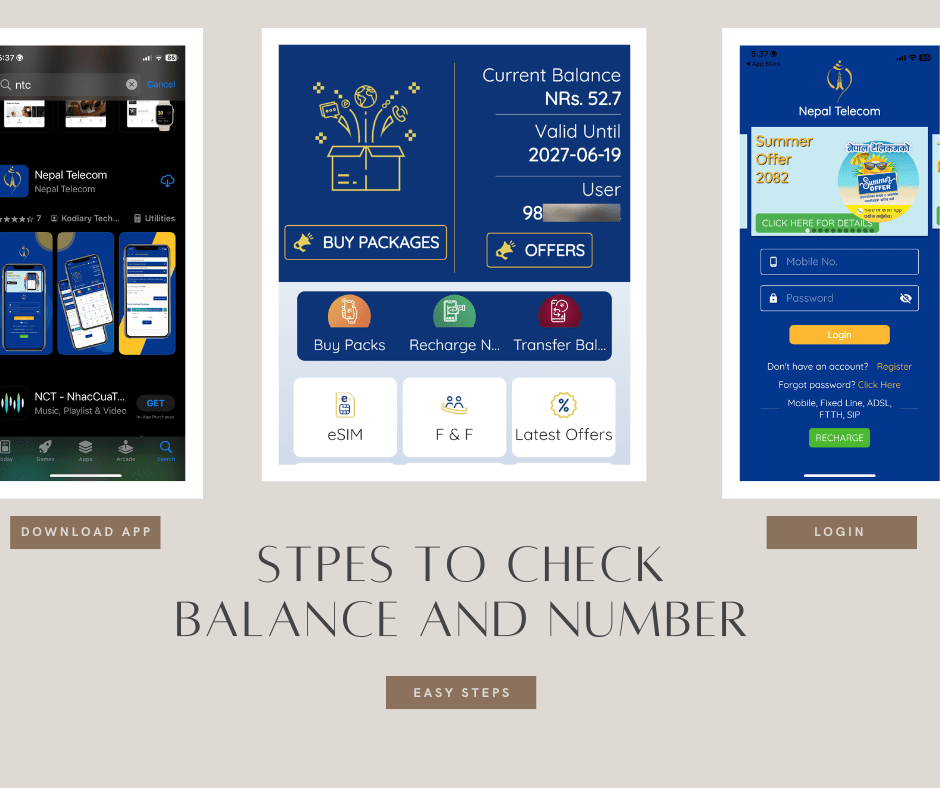
Dial *9# to see your NTC mobile number. Then, register on the NTC app or website using your number and password. After logging in, you can check your number, balance, and even request an eSIM.
After registering your number with Nepal Telecom, you will receive 1 GB of data for free, valid for 3 days.
Receive 1 GB of data for free.
How to Check NTC SIM Owner Name?
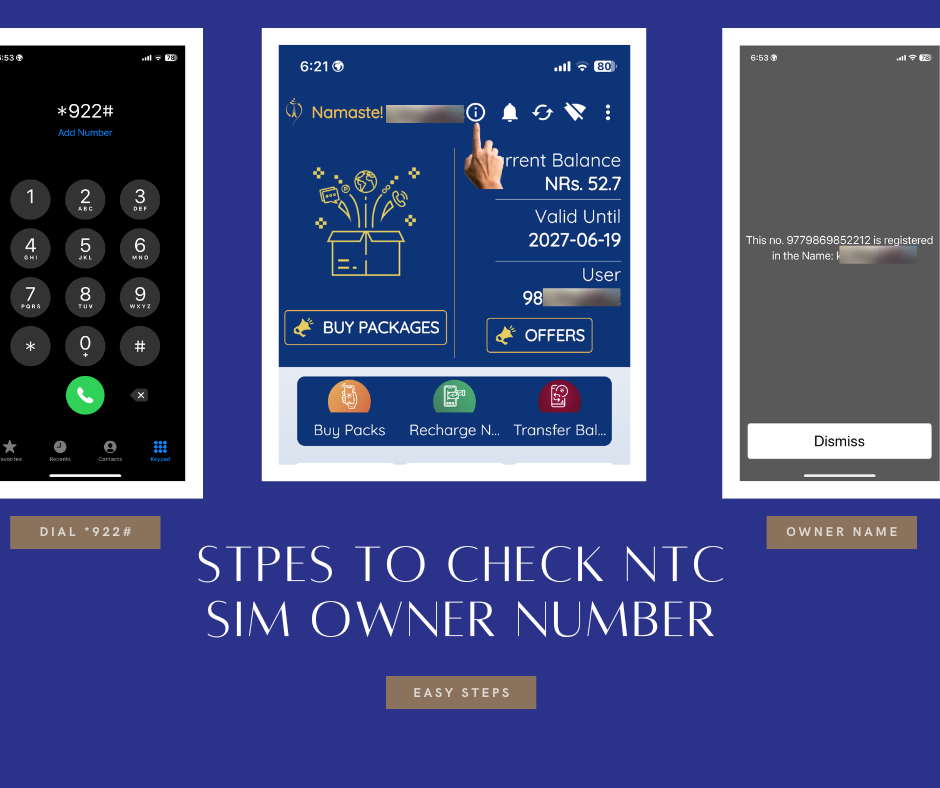
Dial *922# to check the NTC SIM Owner Name. There is also another way to verify the name of the NTC SIM owner.
Use the NTC Nepal Telecom app to check the NTC SIM owner’s Name by clicking on the ‘i’ button.
How to Check NTC Balance in Nepal?
To check your main balance, follow the steps below:
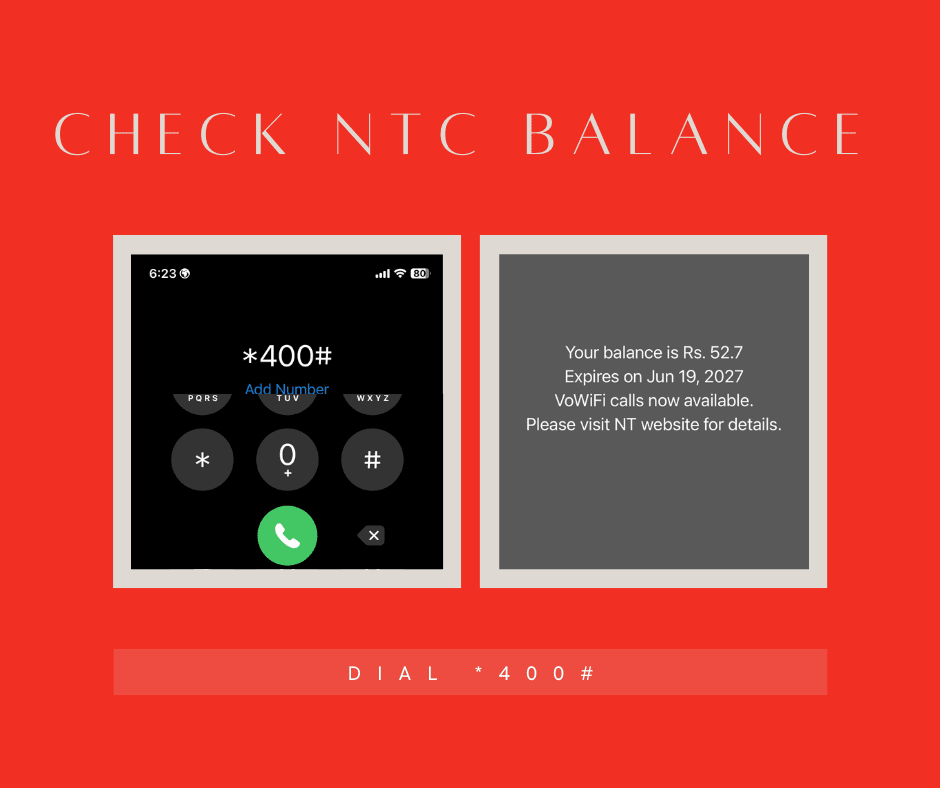
- Dial
*400# - Your remaining balance will be displayed on the screen..
- Dial
*1415#to view internet packages and remaining MBs.
FAQs
How to check the NTC number?
Dial *9#.
How to know the NTC SIM owner’s name?
Dial *922# or download the Nepal Telecom app.
Can I check the NTC number online?
Yes, using the NTC mobile app.
How to check the NTC balance?
Dial *400#.
Can I check who owns the SIM online?
No, only through the NTC office
What if the NTC number doesn’t show?
Insert the SIM in the working phone and retry
Also Read: